>The N64 hardware has something called a Z-Buffer, and thanks to that, we were able to design the terrain and visuals however we wanted.
This was a huge advantage for them. In contrast, for Crash Bandicoot -- which came out for the PS1 at the same time -- we had to use over an hour of pre-computation distributed across a dozen SGI workstations for each level to get a high poly count on hardware lacking a Z-buffer.
A Z-buffer is critical, because sorting polygons is O(n^2), not O(n lg n). This is because cyclic overlap breaks the transitive property required for an N lg N sorting algorithm.
The PS2 got Sony to parity; at that point both Nintendo and Sony had shipped hardware with Z-buffers.
Learning this is like when I learned that the Sony PSP couldn't clip triangles that were larger than the view frustum when rendering. I was making a hack-and-slash dungeon game for a homebrew contest when I figured that out and had to find software clipping code fast, so that big pieces of the walls and floor wouldn't disappear when you got too close. It ended up slowing my game down, and if I knew about that limitation I would have engineered around it from the start. I ended up breaking up large triangles and keeping everything stored in an octree.
After that, I started noticing subtle clipping issues in a few games including Daxter.
I would have never guessed that any 3D video game console didn't have a Z-Buffer, including a relic like the PSX.
Slightly off topic - I used to participate in several PSP homebrew programming contests too, have you by chance participated in QJ.net or NeoFlash competitions in years 2006-2009? I'm asking because it would be cool to find someone else who took part :D My entries were: PSPSnake, Shoot4Fun, Mandelbrot Fractal Generator, and BlowUp! in the final year.
Yes, I did. I made "Quak Arena" [1] for the 2006 NeoFlash competition and the game I mentioned was Chronicles [2] for the dash hacks competition in 2009.
You can bound polygon sorting by looking at the closest and furthest points from the camera for each polygon. This get's tricky if the polygon is perpendicular to the camera, but avoiding O(n^2) in the general case is huge.
I have heard before that the Z-buffer was not actually usable on the N64 due to a design flaw. I forget the details, but one of the wikipedia pages about the N64 mentions this:
"The Z-buffer could not be used because it alone consumed the already constrained texture fill rate."
I vaguely remember a technical analysis on the N64 that explained using the Z-Buffer had such a dramatic negative impact on performance, that only a very small handful of games actually used it. The general theme of the technical analysis was that the N64 had a lot of "features" that had a massive performance impact to use, so many of them went unused.
If I remember correctly -- most games implemented their own pseudo z-buffer in microcode, which is why a lot of games on the N64 have issues with textures popping through each other incorrectly -- Goldeneye's bullet hole textures stick out in my mind as a good example of this.
However, I'm trying to find the analysis, and I'm not having any luck. Maybe I'm just remembering things incorrectly.
That quote is referring to a game that runs at a 640x480 resolution. According to a quick search, most N64 games including Mario 64 run at 320x240 which reduces the fill rate requirements by a factor of 4. That would leave plenty of room for using the Z-buffer along with texture sampling.
The N64 only had 4 megs of unified RAM. 640x480x3bytesx2buffers would be 1800k. It was technically possible to run that without the expansion pack. But, losing that 1350k compared to 320x240 really hurt. 4x fillrate cost hurt even more.
N64 had a form of antialiasing support https://www.google.com/patents/US6999100 That was the motivation for the "9-bit RAM". Worked well enough for the time and was cheap enough to use. Much cheaper than running at a higher rez.
Z-Buffer had huge bandwidth impact that's true, but you can deal with it depending on you game. A good example is SSB which use Z-Buffer only for characters, all the rest is build from bottom to top. Combine this with the fact it only use "one cycle" graphic computation (N64 allow to do another shading computation pass in a mode call "2 cycles"). This allow big framerate.
> most games implemented their own pseudo z-buffer in microcode.
Just two or three IIRC. Mainly Factor 5 games.
Goldeneye use Z-Buffer, bullet texture overlaps because the poly offset value used to apply bullet texture on walls is always the same.
> The general theme of the technical analysis was that the N64 had a lot of "features" that had a massive performance impact to use, so many of them went unused.
I wouldn't say that.
1) The N64 is a complex console. It still inherit the "all electric" tradition of 16/32 bits consoles but focusing on 3d computation and shading so it need skilled peoples and time to do interesting things with it (in its last days, N64 had very impressive games).
2) With that, Nintendo devs provides GBI (graphic binary interface) which was not such efficient on the vector computation side (but generic enough to allow peoples to use it).
3) N64 had a all-wired per pixel processing unite (a GPU named RDP), meaning it could provide high quality pixels like never before but this was costly.
4) Because texture had to be stored physically "inside" the RDP chip for efficient processing (remember, 3DFX didn't even exists at this time and the GPU word was a concept), memory cost (and, I suppose, size limitation) were important so they choosed to focus on pixel quality over texture definition (there is actually many hack to "visually" improve texture definition: http://imgur.com/2EeH5Yg).
In the case of Mario 64 though, many of the models and polygons didn't have textures but used super-simple single-color flat shading. So texture fill rate wouldn't not have been a constraint.
Most games also didn't use a custom microcode, but used one of a handful of microcode libraries for the RCP that Nintendo provided. A notable exception to this is Factor 5, which did write their custom microcode to improve graphics performance, with great results.
Man you should write a book. Or many, I'm sure you could fill them with all the details about your game development over the years. That would be a nice complement to Abrash Black Bible.
If you dig this stuff then Real-Time Collision Detection[1] is solid gold. It's basically data structures for 3D along with a practical appreciate of what makes real world algorithms fast(data layout).
Andy Gavin wrote several extended articles on the making of the original Crash Bandicoot. IIRC correctly, Dave contributed to a few of the articles,, or at least his contributions are mentioned pretty heavily.
> we had to use over an hour of pre-computation distributed across a dozen SGI workstations for each level to get a high poly count on hardware lacking a Z-buffer.
Did you consider any other alternatives? Curious if you had any other ideas that you sidelined as being too crazy.
No, that idea was crazy enough. :) The collision detection system and camera control code were also insane. Mark Cerny helped me make the collision code fast enough. Very clever assembly language tricks there, and we used 2K of "scratchpad" static RAM built in to the PS1 (for some reason) to make it fast enough.
> No, that idea was crazy enough. :) The collision detection system and camera control code were also insane. Mark Cerny helped me make the collision code fast enough. Very clever assembly language tricks there, and we used 2K of "scratchpad" static RAM built in to the PS1 (for some reason) to make it fast enough.
Can you expand on how the precompute trick works further? So you're precomputing the order of the scenery/level polygons because of their predictable movement but how does that combine with objects with unpredictable movement (Crash, enemies etc.) when you render a frame? Did the limitations of this trick limit the gameplay you wanted?
I've been meaning to write a blog post about this, but here's a brief summary.
We wrote a software renderer for the SGI that exactly replicated how the PS1 hardware would render. I wrote an imperfect clone for Crash 1, then Stephen White wrote a pixel-accurate one for Crash 2. (This is why Crash 1 has "crispies", as Andy called them -- little pixel-sized glitches in the background -- and Crash 2 does not.)
When computing a level, we'd sample N points along the rail as we moved the camera forward through the level. At each point, we'd render the entire scene using the software renderer, then recover the rendered list of polygons, in sorted order, from the (software) Z buffer. We'd then store this sorted list of polygons for each of the N frames, using delta compression between frames to keep the size manageable. The pre-computation phase would choose N empirically, based on much change happened from frame to frame in any given section of the level; basically it would make N as large as it could be without blowing out the page allocation (which was in turn determined by how fast we could read from the CD).
This handled all the polygons in the background, which was completely static. For foreground objects like Crash, enemies, gems, etc, we'd bucket sort them in as we rendered the background. This required manual tuning in some cases, so we had an editor where we could manually adjust the "push-back" (i.e., bucket adjustment) for each object in real time while playing the game. These magic values were then stored with the associated objects as part of the level data. If we couldn't make an object sort in right via bucket adjustment, we'd change the background slightly until it worked. In other words, it was a massive hack. :)
In terms of gameplay, we took our inspiration primarily from Donkey Kong Country, which had linear gameplay. So the rail model actually worked really well for the gameplay we were trying to achieve. (DKC is still an awesome SNES game; check it out if you haven't played it recently.)
Why did you have to simulate pixel level output to sort your polygons, out of curiosity?
I've also written rendering engines for hardware lacking Z-buffers, and our approach was to build a BSP tree of the level, which gets you part of the way to working around no Z buffer, since there's no Z overlap in static polygons after being partitioned, but the downside is you split triangles and increase the triangle count, so it reduces model complexity if the splitting blows your poly budget.
Once you have your BSP cells, you can precompute all the visible cells from any given cell - heh, we too did this on SGI's, but by rendering each cell is a unique color and seeing which colors were visible in an output frame.
Then, within each cell, we'd have six draw orders for triangles, picking whichever was closest to the eye vector. Not pretty, and sometimes this produces quite a bit of overdraw, but it works. I'm guessing your approach minimized overdraw as compared to a heavily pre-computed BSP approach.
Anyhow, thanks for the post, it's fun to read about the the hacks form the early days of graphics hardware.
>Why did you have to simulate pixel level output to sort your polygons ... ?
We essentially rendered every frame with a Z-buffer; it's just that the Z-buffer was running in software on the SGI ahead of time, as the level was processed.
We needed pixel accuracy so that the occlusion was perfect. The BSP tree technique was well understood by then, thanks to Carmack's work on Quake, but we didn't want to split polygons so we used this brute force method instead.
However, as a little bit of disinformation to other developers, we put a big file of random data on the Crash CD called BSPTREE.DAT. You still have to download this huge, pointless data file when you buy the game on PSN. I feel slightly guilty about that. :)
You're thinking of fitting the levels into the maximum number of pages that could fit into memory. That was hard, but had nothing to do with the CD capacity.
> This required manual tuning in some cases, so we had an editor where we could manually adjust the "push-back" (i.e., bucket adjustment) for each object in real time while playing the game.
Sounds like one of those hacks where you're simultaneously laughing and shocked at how "kludgy yet it works" it is but relieved you've actually solved the problem in a way that meets the limitations and deadlines you have. Thanks for the replies, great to know this background information on a classic game!
Exactly. I was actually very worried about how much data would need to be stored per frame for this to work until I tried it. Most frames required under 100 bytes, incredibly.
I just read the Making of Crash Bandicoot blog post series. This limitation is why Crash Bandicoot had a camera-on-rails to limit the number of polys on screen, right?
Not to limit the number of polygons on screen, but to make it feasible to precompute the exact order polygons would appear on the screen during each frame at render time. Pre-computation actually increased the effective polygon count because it also meant that the engine didn't need to render occluded polygons (i.e., the rock behind the tree you're looking at) at all.
Resident Evil largely baked their complex scene geometry down to large, flat textures on large, flat polygons in game. Crash kept the complex geometry of the scene in the game. What was baked was the exact set of polygons that needed to be loaded and displayed at any point along the track.
Had the ps1 a dedicated chipset for 3d graphics or was it a pre-written software renderer library kind of thing? Was writting a software renderer (with perspective correct texture mapping and a zbuffer, amongst other things) out of question?
The PS1 can be characterized as "half-software" because the geometry transforms are done through a CPU coprocessor, then sent to a mostly-2D GPU capable of filling in the gaps with affine transformations. This unusual pipeline accounts for why the rendering artifacts have a system-defining character to them - information about the geometry is lost after leaving the CPU and the GPU operates at screenspace precision, making the biggest polygons onscreen the most visibly inaccurate.
Quake perspective corrects only every 16 pixels and does linear interpolation in between. This is because the correction requires an expensive FPU divide.
While the FPU is busy doing that, the CPU can do the linear interpolation. Once the CPU is done with the 16 pixels, the FPU has also completed the divide and the CPU can do the next 16 pixels, and so on.
It was so long ago that I honestly don't remember. It might have been something like HL model viewer or Milkshape 3D rendering things using a different software renderer. I did some research and there is also an option to set affine texture mapping in the HL OpenGL renderer. HL works on Macs so I will test that stuff out soon
I think by the time HL shipped, the engine had been so hacked to bits that very little was left over from Q1. Heck, i think they even ported over various bits from Q2.
The Hastings brothers (who were actually down the hall from us when we were writing Crash) are really awesome coders. Even so, however, I don't think Spyro for PS1 actually had anywhere near Crash's effective polygon count. Crash himself was over 750 polygons, which was not bad for an entire frame of a PS 1 game.
I'll always remember the first time I saw Super Mario 64 in front of my very eyes in ToysRUS. It was as if every other 3D game in history suddenly didn't matter anymore. Here was the future of 3D gaming. Here was a game with unbelievably fluid controls in really large levels clearly designed to be explored.
Unlike most previous Mario games, there was no timer either. This only further encouraged players to really explore the 3D environment, collect the side-quest coins, and not be stressed out.
Oh yes, i distinctly remember seeing commercials of Super Mario 64 on TV and being mesmerized by them. At the time, we had a Sega Genesis at home, but i had already seen some PlayStation games, and played a bit of Doom on a PC, so i already "knew" what 3D graphics were.
Mario 64, however, felt like something completely new. It was like the intro to Sonic 3D Blast[1], but with infinitely higher frame rate, and not pre-rendered!
[1]: https://youtu.be/oNS4_8ZX_tc Yep, not the most exciting of Sonic games by any stretch, but kids used to the Genesis graphics may had found a lot of promise for the future of 3D graphics on that now-crappy-looking intro (i know i did).
Plugged in an N64 a year or two back with a mate for a quick blast. After starting it we had an embarrassingly long period of cable fiddling trying to work out why it looked so... average. It turns out the the combo of screens getting way bigger and the graphics being fairly low res by modern standards was actually the issue. It's funny how even now I remember it being pixel perfect.
I've had the exact same experience. Every time I boot up SM64 or OOT everything looks so blocky compared to how I remember it looking as a kid, it momentarily surprises me every time. In my memories the graphics are on par with AAA games now.
Picked up a Vive a few months ago--Valve created a program for it called Destinations where people can upload 3D environments with optional simple animation triggers, and you can teleport through the environment in VR. Somebody uploaded the exterior of Princess Peach's castle and the Shadow Temple boss area to it. Checking out Peach's castle in the headset was breathtaking, got that same kick to my chest and feeling of wonder I remember having as a kid and felt like I really recognized the environment in a way I didn't when I booted the games up in emulators. Being there in VR made the graphics look worse--the tiny textures originally meant to be viewed on a CRT get blown up across the several literal football fields and the polygons are huge sharp edges several feet across for the hills. I'm not sure why it provoked that emotional response in me. I would guess that I felt more immersed, and that immersion affected my perceptions as a kid.
Think back to the Nes and SNes era (apologies, I'm a Nintendo fanboy) and the booklets you always got with them. You might recall those booklets had character art in them.
I'm fairly convinced that because of that type of artwork, in combination with a lively fantasy, we recall our childhood heroes as real beings, rather than polygons or even pixels on a screen.
This, in combination with the power of empathy, has resulted in lively memories of heroes and villains duking it out in epic battles... that when revisited can take a while to get back into :)
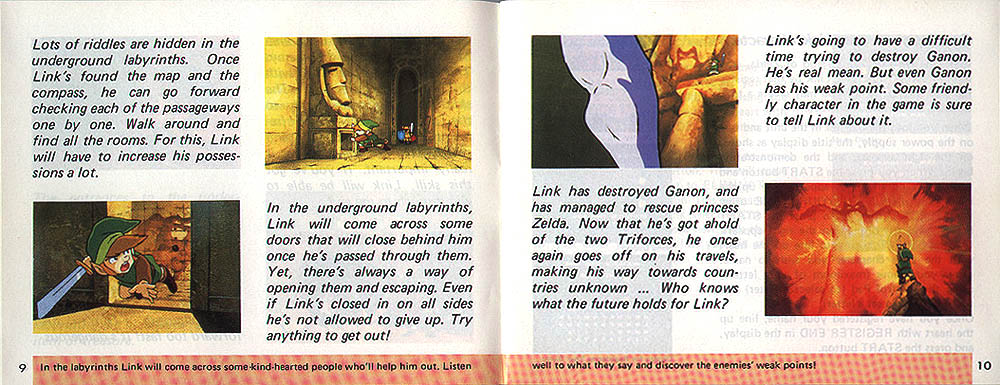
I wholeheartedly agree. The art in the original Zelda manual let my brain paint over the graphics with something much more evocative. The anticipation I felt the first time I leafed through it is a vivid childhood memory. My sense of adventure was stoked!
If you want to re-experience OOT with graphics that work on high res displays, look on the web for the Djipi Cell pack. It makes the game cellshaded, like the wind waker, which makes it actually look very nice.
That said, if you want to experience a truly good Zelda with perfect graphics on any display (even the Vive), try out the Wind Waker on Dolphin. It is arguably the best Zelda ever made, and it looks absolutely stunning on modern hardware.
Also, modern TVs don't scale the analog input correctly, so some old consoles look much worse now than they would a good CRT. You can buy a framemeister that scales properly, but they are really pricey. The best bet is to play on a CRT (or an emulator)
Heh, yup. This is why, when playing these old games via an emulator, it is so important to get the video config setup properly. You can't just stretch to 16:9, you want to play at some multiple of the original resolution (or exactly at the original resolution if you're crazy for perfect graphics).
What mario got right wa having things worth exploring. There were free roaming 3D games like Carrier Command (https://en.wikipedia.org/wiki/Carrier_Command) released a decade earlier which were great, but everything was the same in all directions.
Same. I had been super impressed by Donkey Kong Country not too long before, and was still satisfied with it being the state of the art (to my awareness anyway; I was still a kid at this time)—then I walked into a Game Force and saw it on the T.V. I was astonished. After an initial period of mesmerization I hurried to find my brother to tell him about the 'real 3D' I had just witnessed. I also remember being amazed seeing the bullet hole decals from Goldeneye while playing a demo at Target.
I had the same awe when I saw Starfox for the first time. In fact, it got me interested in what eventually became my career. Coincidentally, both games were done by same people.
Do any of the infocom games ever come up in /r/TheMakingOfGames? Looking at the page now, none happen to be there but just wondering if they have in the past.
That's a fairly deep technical analysis of a tool-assisted run with an unusual constraint. I'd suggest https://www.youtube.com/watch?v=swNX-GQt67M#t=7m30s instead, for a live speedrun race between two of the best players in the world.
Mario's speed was limited via "speed < MAX_SPEED", but it didn't have any boundary on negative speed. So you can build up effectively infinite negative speed by chaining long-jumps backward, without turning Mario around. Get enough (negative) speed, and the boundary checks for walls get bypassed, because you move all the way through them in one frame.
You can combine that with another trick: chaining long jumps works as long as you're close enough to the ground to kick off the ground, so if you hit the jump button rapidly enough, you'll jump repeatedly without leaving the ground. Notice in the linked video that you'll hear many jumping sounds rapidly, but occasionally the player will miss the timing and do a full-height jump.
That same trick also works to bypass the "infinite" staircase without having 70 stars (because you move past the looping portion in one frame).
Human players can successfully use this to warp through walls and bypass star/key requirements, to complete the game with 50, 16, 1, or 0 stars. Tool-assisted speedruns also use this to move rapidly through levels, but that requires a series of frame-perfect inputs.
To add to this, the "walking in place" animation happens when Mario's position + velocity would end up out of bounds, which the game doesn't generally permit. When the player turns and allows the speed to drop, the motion will take Mario to a valid position, and he will zoom until he gets stuck again.
My assumption was some sort of flaw or limitation in hit detection but it would be awesome if someone who actually worked on it or similar could comment further :)
pannenkoek2012's videos are a fascinating insight into the implementation details of an N64 game from the perspective of a speedrunner. Every exploitable glitch reflects some aspect of how the game engine works.
(There's also a secret sister channel, pannenkeok2012, for lower-effort videos. Among other things, there's a comprehensive search of the game's PRNG in there!)
..yup! I have no idea how anyone has the degree of patience and passion to put that much effort into totally breaking down a game's limitations, but it's really something else to see in practice.
The opening quote totally blows my mind as a humble non-game dev. I never thought of it this way.
> Miyamoto: Ever since Donkey Kong, it’s been our thinking that for a game to sell, it has to excite the people who are watching the player—it has to make you want to say, “hey, gimme the controller next!” ...
The simple approach is to say, "to make a great game, it should be fun for the person playing it." But they've already taken a step back and approached it from the perspective that great gaming happens socially. Maybe this is one reason I cherished all the Nintendo games as much as I did. It's because the memories of playing them are always with other people and we're all having fun. It wasn't a solo act.
You shouldn't feel bad about that, some games are considered classics far sooner than 13 years. Take Half Life 2 or Bioshock for easy examples. Classic /= retro, it can mean highly influential or innovative as well.
I should probably make an effort to finish that game someday. Not that I've finished many Super Mario games. I think I've purchased every one, but have completed maybe two of them. So many levels incomplete... I wonder if game devs feel bad working on higher levels, knowing only a tiny portion of players will actually ever see them?
I have fond memories of this game, and a lot of what they spoke about in the interview regarding what gamers enjoyed ringed true for me. The movement of Mario did feel great, and I had a lot of fun exploring the environment, jumping in the water for swimming or seeing how Mario's movement was different in different environments. (I did notice his centre of gravity as well, and it seems like a great fit).
It is great to read that they actually had players like me in mind when they created the game. This article actually makes me want to dig up the game and play it through again.
Worth noting that the majority of those settings are the pre-built demo environments Unreal provides. This guy is essentially just moving a Mario character inside the existing Unreal tech demos.
I would love to see something similar for Goldeneye/Perfect Dark. I've been slowly but surely working on building a demo FPS engine using very minimalist implementation to learn about game dynamics, and I'd love to hear what sort of technical challenges were faced at Rare and how they developed their(albeit simplistic) enemy AIs with pathfinding.
I think the first time I played this game was with the Nemu64 emulator using a good computer and LCD monitor. The monitor alone made for a better experience than the scaly TV sets typical of the day. Also, being able to pause, save, and replay an area was nice.
I had a joystick called the Gravis Xterminator I used to play emulated N64 games. Its analog stick and button layout were similar enough to the N64 to make emulated Super Mario 64 almost as playable and enjoyable as the real thing.


This was a huge advantage for them. In contrast, for Crash Bandicoot -- which came out for the PS1 at the same time -- we had to use over an hour of pre-computation distributed across a dozen SGI workstations for each level to get a high poly count on hardware lacking a Z-buffer.
A Z-buffer is critical, because sorting polygons is O(n^2), not O(n lg n). This is because cyclic overlap breaks the transitive property required for an N lg N sorting algorithm.
The PS2 got Sony to parity; at that point both Nintendo and Sony had shipped hardware with Z-buffers.